Basic features
Some of the features offered by the free-to-use version of Backwater Finance (a.k.a., the Basic license) …
Simple, powerful bookkeeping tool
Backwater Finance is a simple, powerful web application designed for personal finance bookkeeping — recording, cataloging, and reporting on one’s personal financial transactions. It’s designed to be powerful, without being overly complicated. Time and energy are scarce resources, after all.
It provides a double-entry bookkeeping system with five account types: assets, liabilities, revenue, expenses, and capital.
Accounts carry balances and group transactions together. Asset and expense accounts are debit-normal accounts, meaning that debits increase their balance. Liability, revenue, and capital accounts are credit-normal accounts, meaning that credits increase their balance.
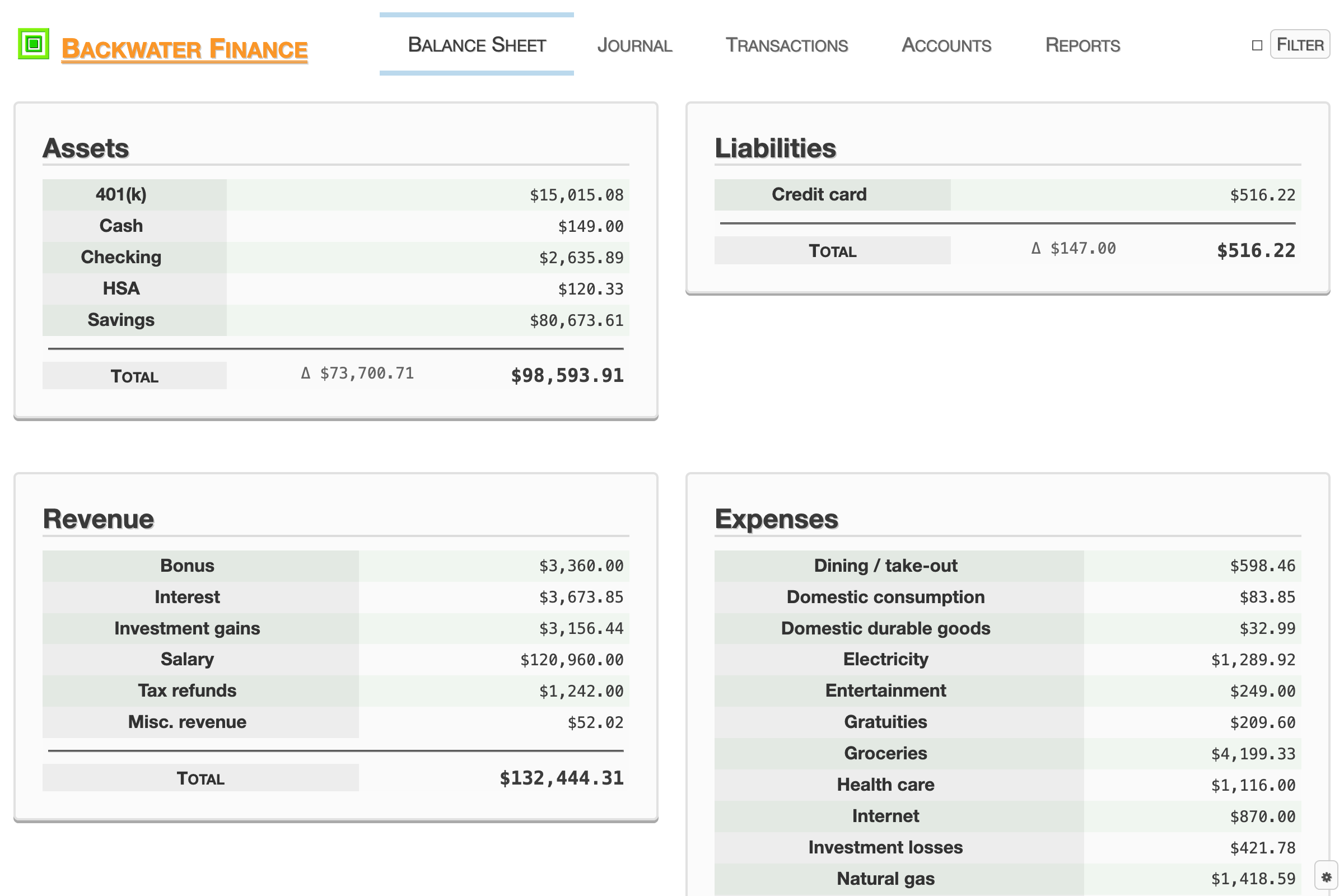
Some accounts will likely align one-to-one with your real, external accounts at financial institutions, but also, accounts may represent conceptual categories like “groceries.” Exactly how you structure things is up to you.
Transactions represent the specific instances when value flows between accounts. Transactions consist of one or more journal entries, in which one account is credited and another is debited a certain amount of a particular currency. All of the currencies in the ISO 4217 standard are supported. A journal entry specifies an amount of one particular currency, but transactions can contain journal entries of multiple currencies.
Profiles allow data for multiple personas to be maintained separately with a single device (a.k.a., multitenancy). Profiles contain accounts and transactions.
No ads, tracking, or data harvesting
We’re in the business of building software, not collecting data about our users. Read more about your data privacy.
On-device data storage
The application’s local-first architecture allows you to retain ownership of your data.
Data storage is provided by database technology built into web browsers: IndexedDB. The application performs extremely responsively because data stored on your device doesn’t need to be shipped back to you from a data center.
Import and export data in common formats
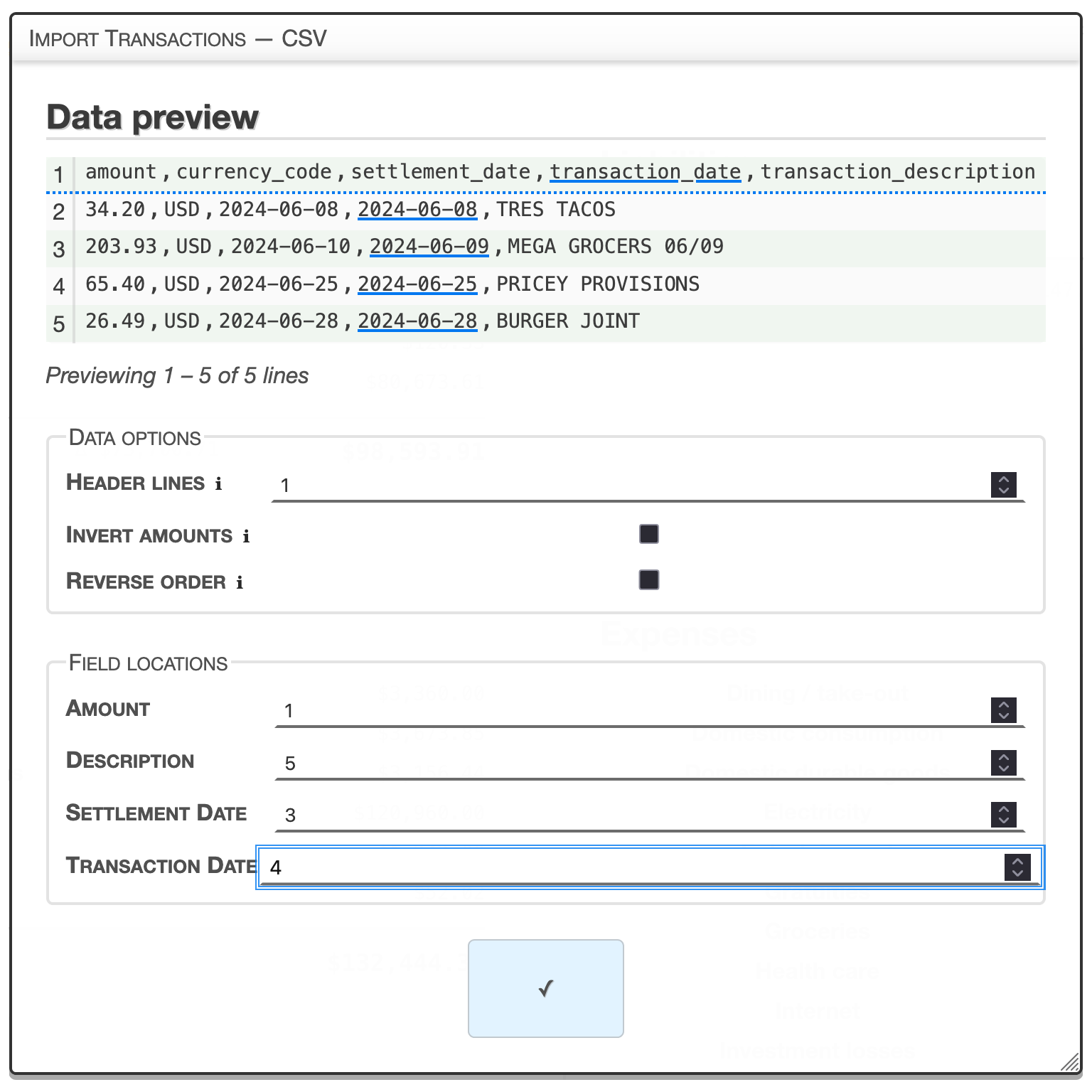
Lock-in free. Easily back up and restore all of your data with a single file. Conveniently import and export data in common formats …
Import
- Comma-Separated Values (CSV)
- Open Financial Exchange (OFX)
Export
- Comma-Separated Values (CSV)
- JavaScript Object Notation (JSON)
Progressive Web App
Backwater Finance is a Progressive Web App (PWA), which means that your browser may allow it to be installed and used on your device like a standard app (look for an icon in or near the address bar). It works offline, too.
Visualize your data
Built-in reports with powerful filters allow you to visualize trends in your finances with graphs and charts.
Reports
Account Type Balance Trend
A line graph with 6 series: net worth, and the total balance of each of the five account types — assets, liabilities, revenue, expenses, and capital. Time is on the 𝑥-axis. Balance (monetary value) is on the 𝑦-axis (filtered to only one currency at a time). The available filters are: Currency (required) and Transaction Date.

Account Type Balance Distribution
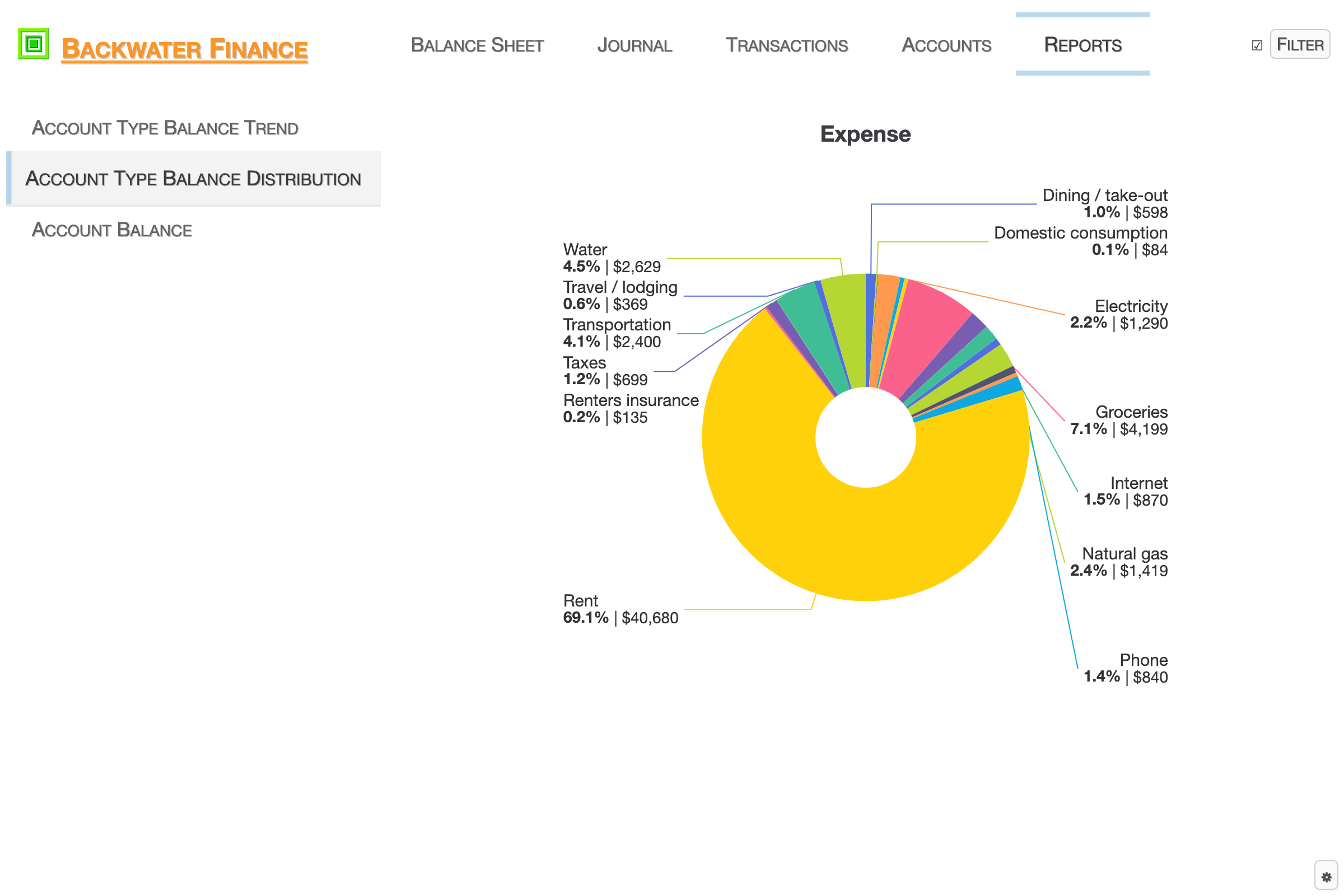
Individual pie charts for each of the five account types — assets, liabilities, revenue, expenses, and capital. The proportion reflected is the account balance compared to the total balance of the account type (filtered to only one currency at a time). The available filters are: Currency (required) and Transaction Date.
Account Balance
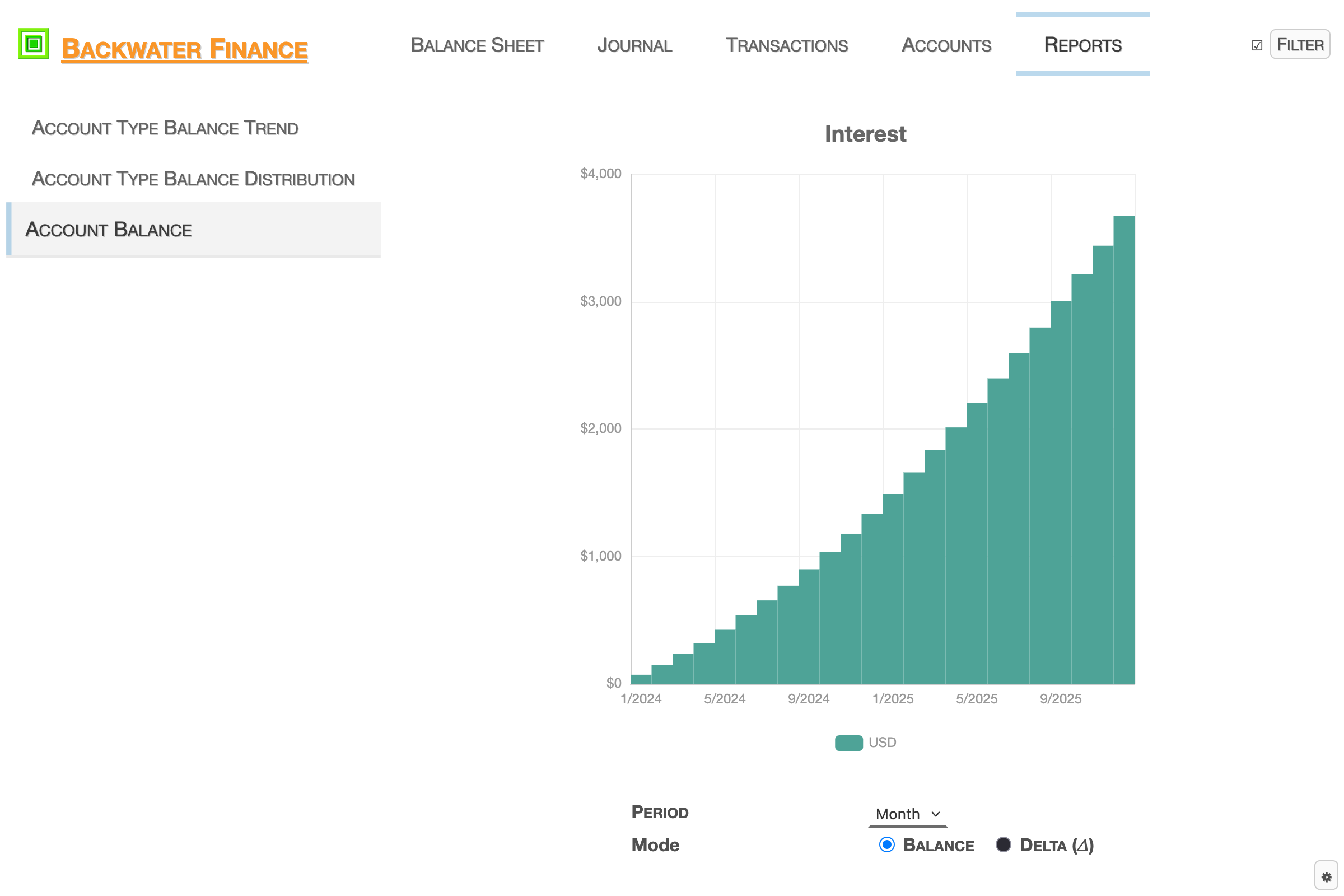
A bar graph with series for the currencies contained in a single account. Time is on the 𝑥-axis. The duration of time that a bar represents is set with the Period selector: Day, Week, Month, or Year. When Mode is set to Balance, account balance (monetary value) is on the 𝑦-axis; when Mode is set to Delta (𝛥), the delta (i.e., difference) of the balance of a period and the balance of the preceding period (monetary value) is on the 𝑦-axis. The available filters are: Account (required) and Transaction Date.
It’s free to use!
How? With the local-first model of software, we don’t bear the computation or storage costs of the users. That substantially reduces the hosting cost for us. Consider the data privacy advantages, and it’s win–win.
Inspired by the programmer heros of my childhood (* Justin Frankel, John Carmack, et al.), I always wanted to provide useful software as freeware. Idealistically, I’d like to help empower people to take control of their personal finances, too.
Tip
To unlock all of the application’s potential and support 💯% hand-crafted software while you’re at it, please consider purchasing a Premium license.