Screenshots
Primary views
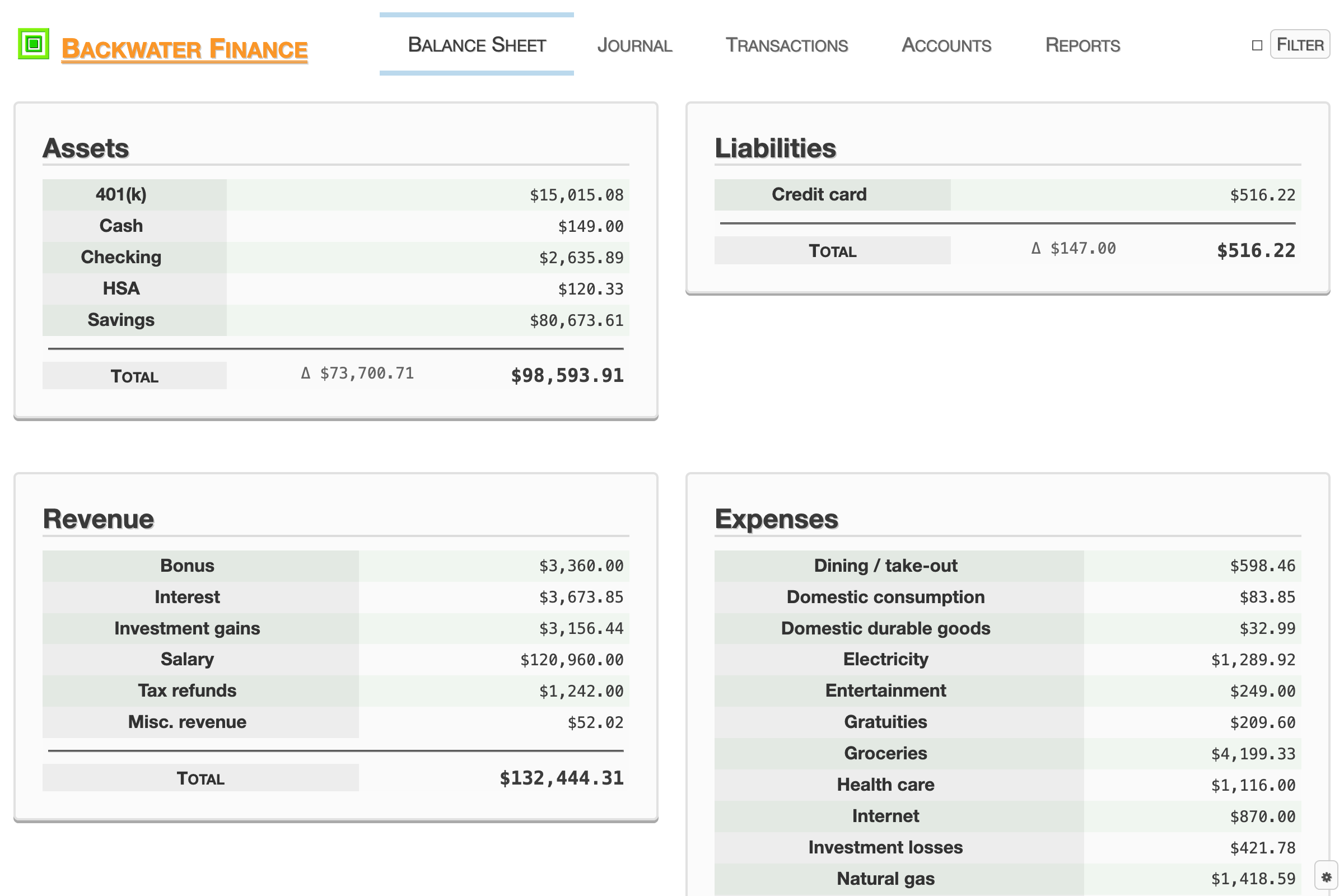
The Balance Sheet view shows a summary of all accounts, grouped by account type.
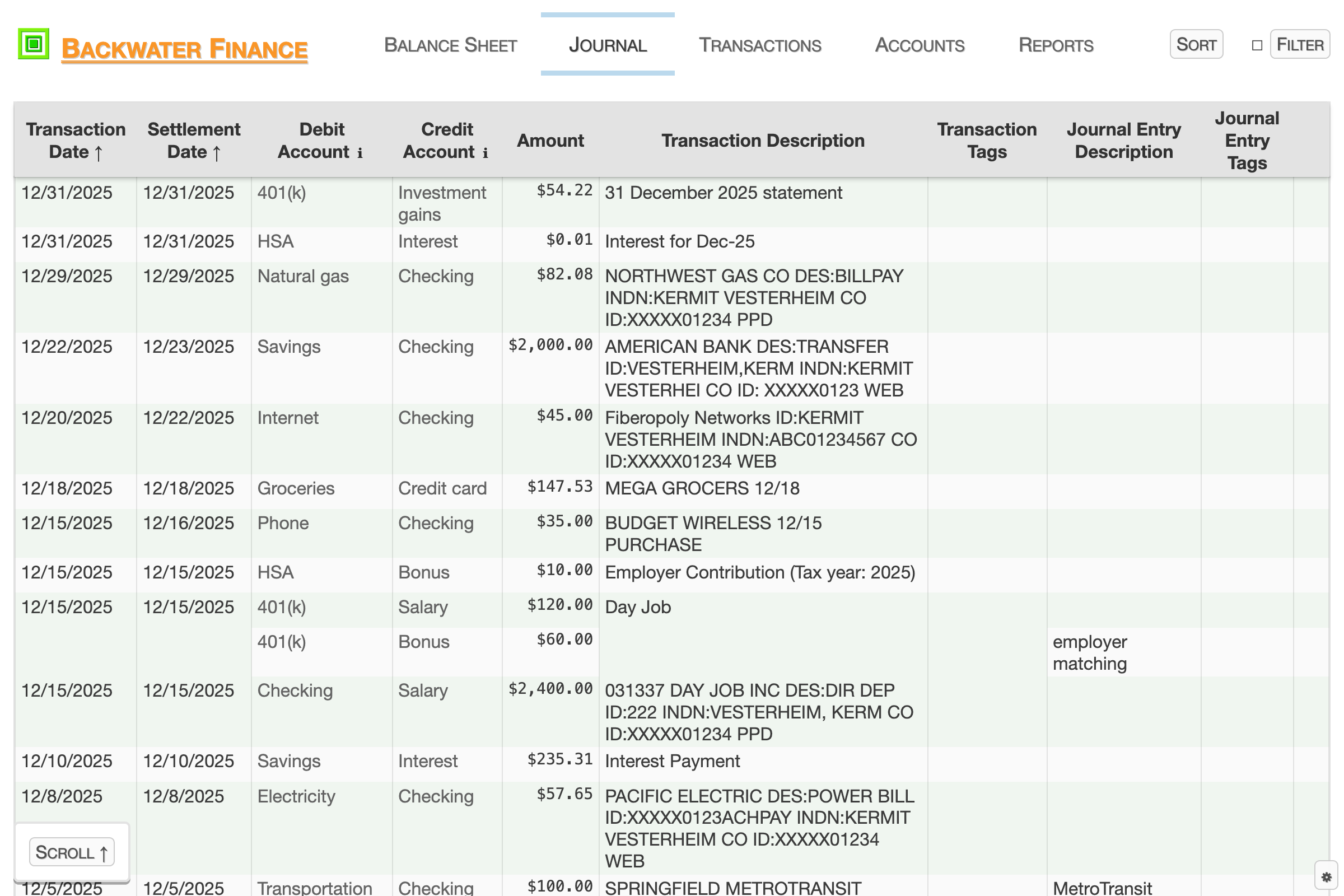
The Journal view shows a filterable, sortable, chronological list of transactions / journal entries.
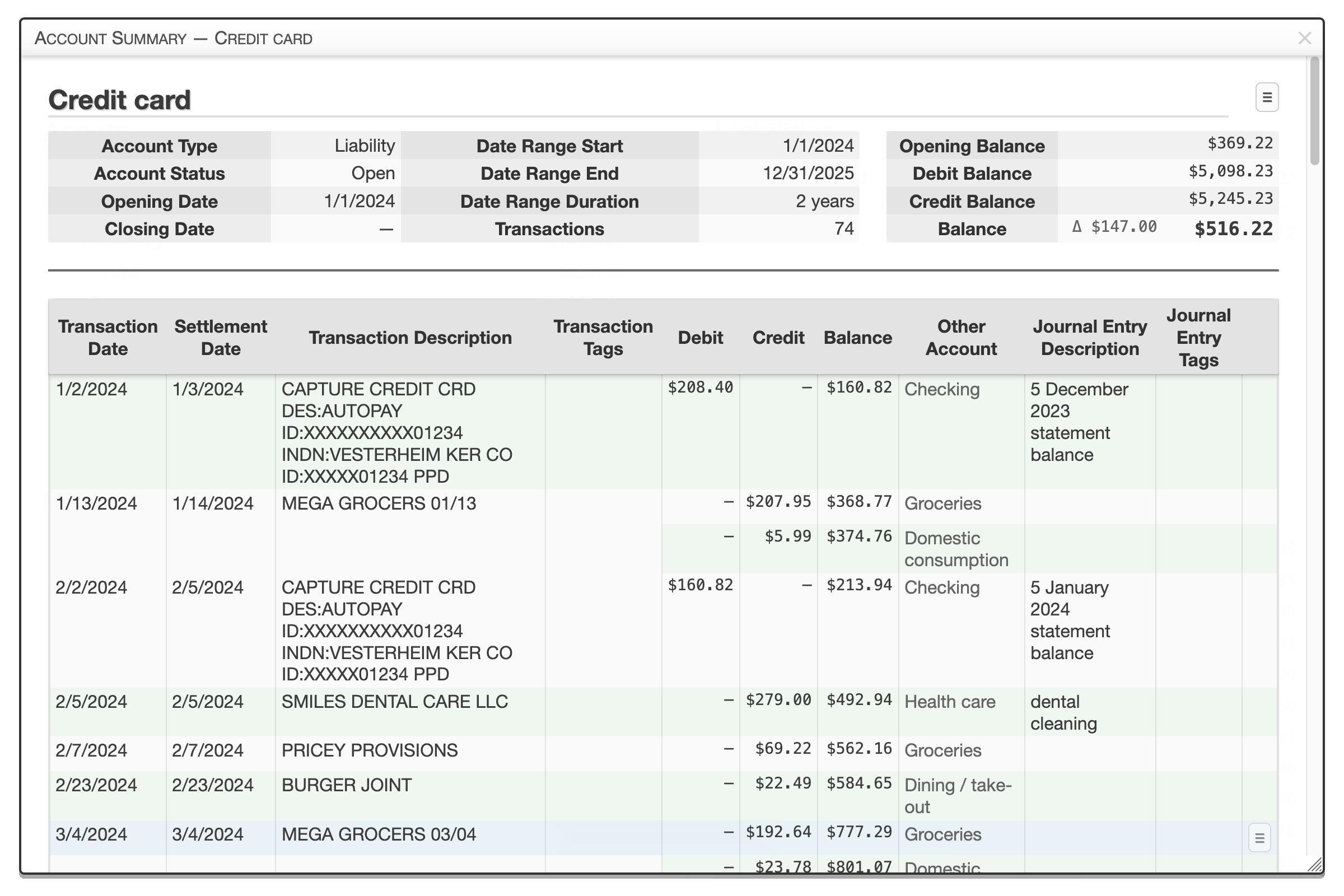
The Account Summary view shows a summary of a single account and a chronological list of its journal entries.
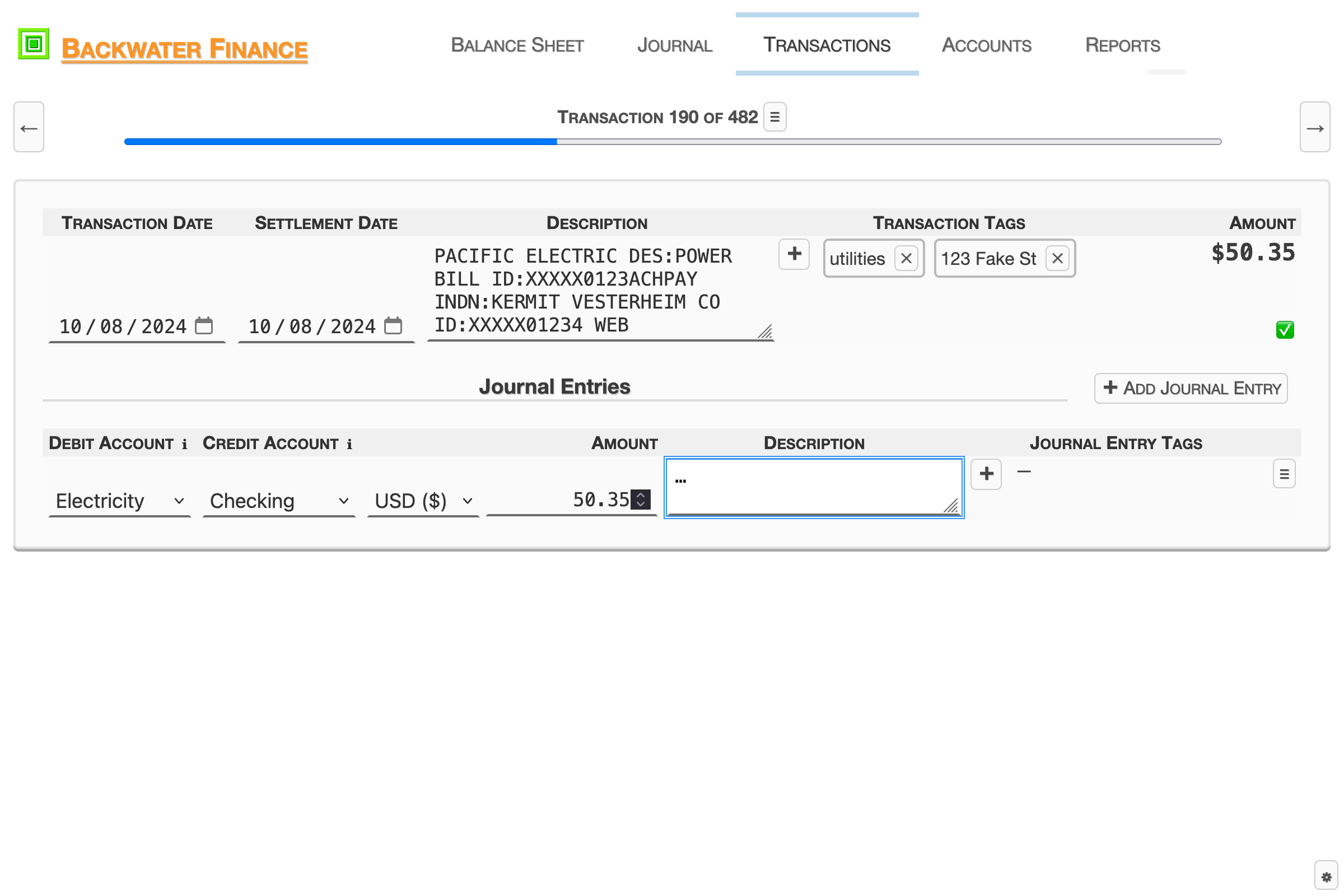
The Transactions view allows for creating, editing, and viewing a single transaction.
Reports

The Account Type Balance Trend report shows a line graph of the total balance of each account type and net worth over time.
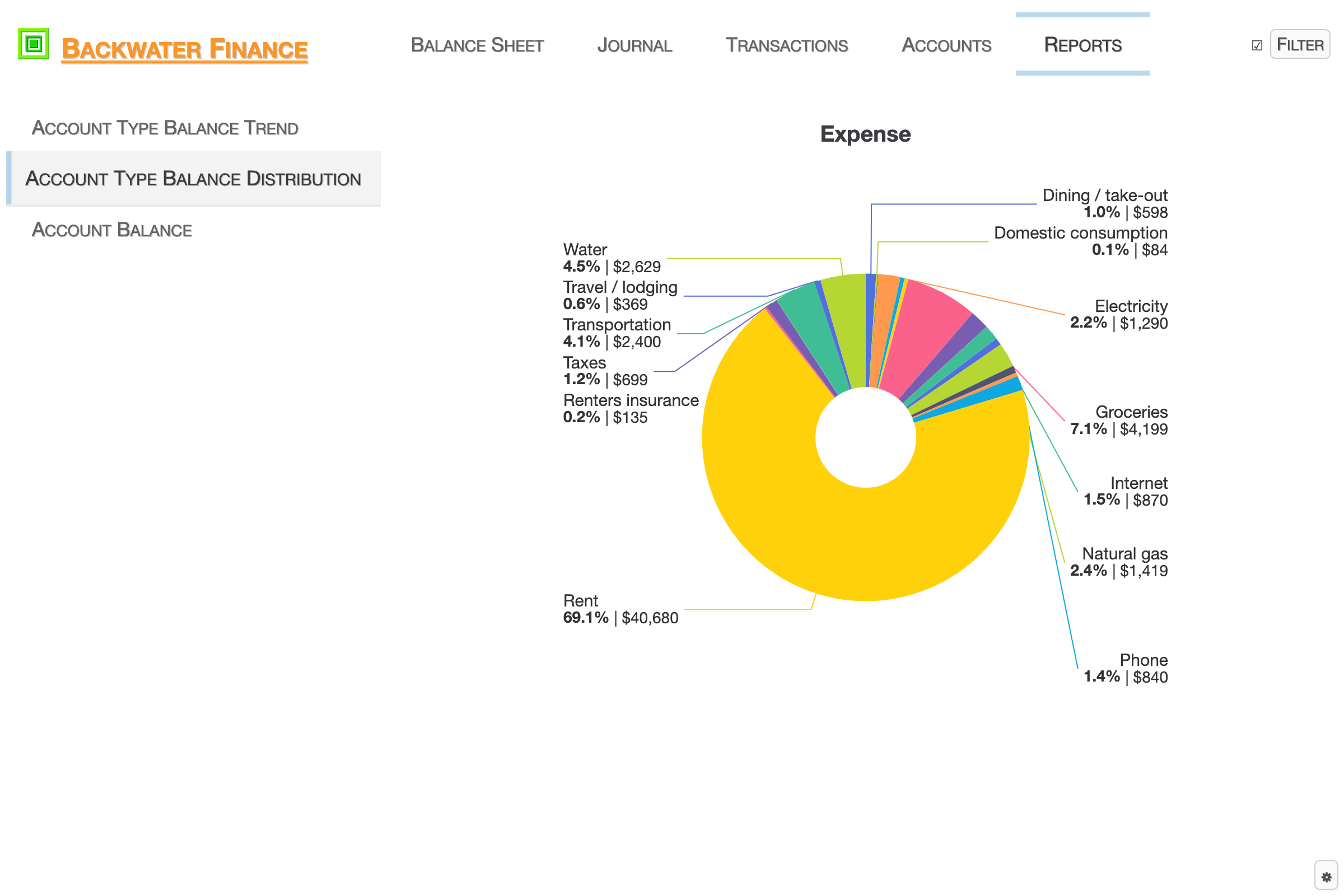
The Account Type Balance Distribution report shows individual pie charts for the account types, with the proportion reflecting the account balance compared to the total balance of the account type.
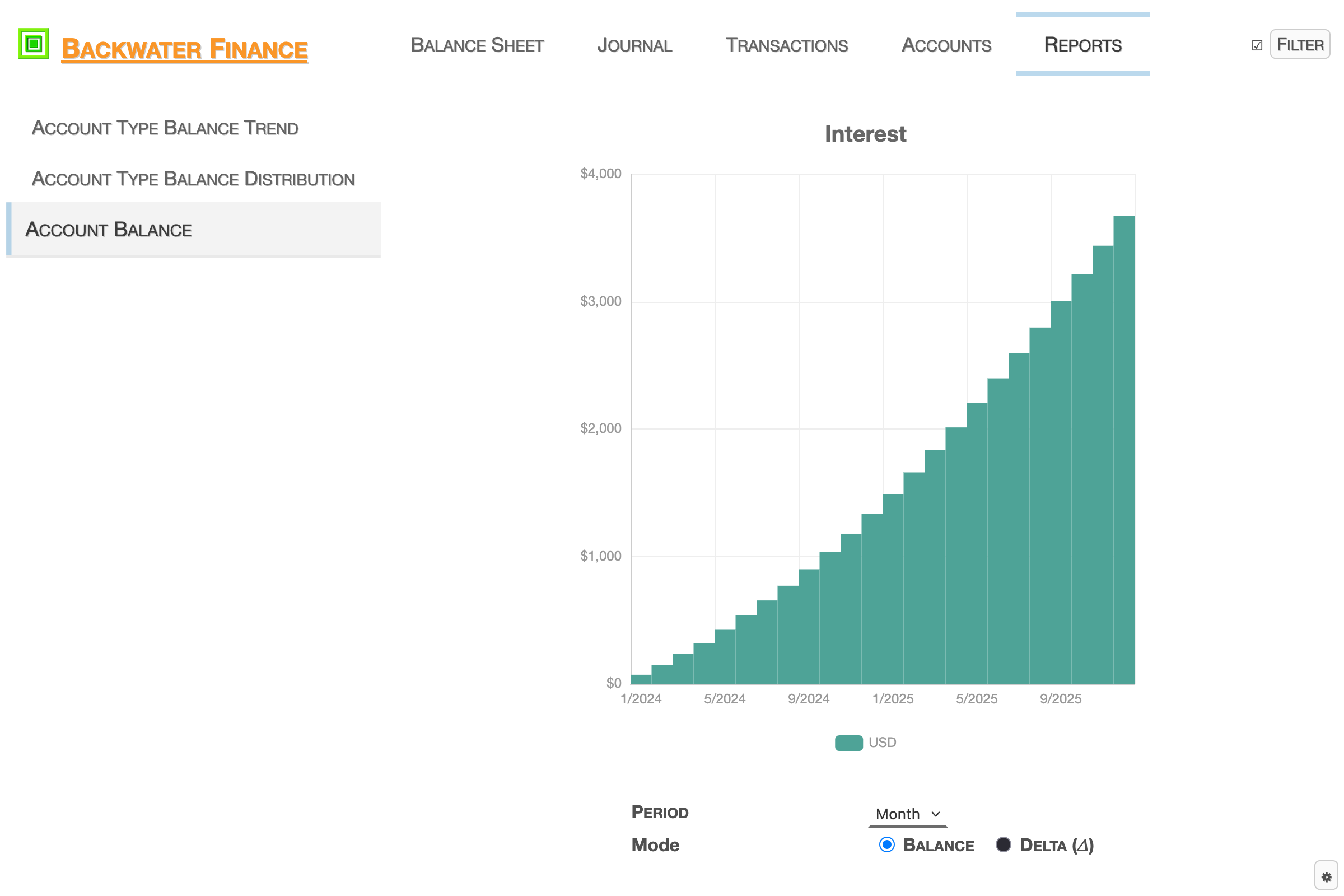
The Account Balance report shows a bar graph reflecting the balance or balance delta of a single account for the selected time period (day, week, month, or year).
Import and export data
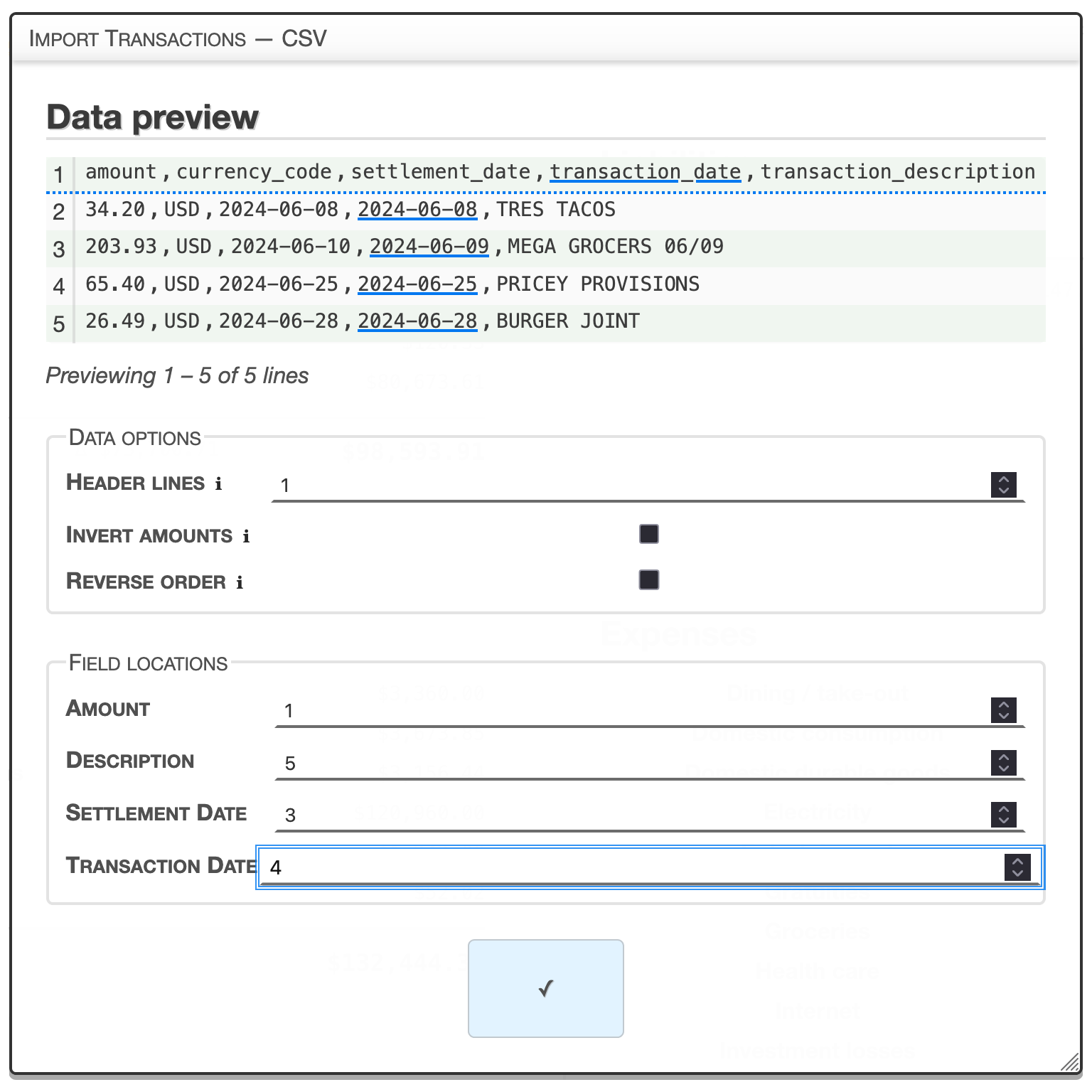
The Import Transactions — CSV Options view allows for the configuration of CSV data imports.
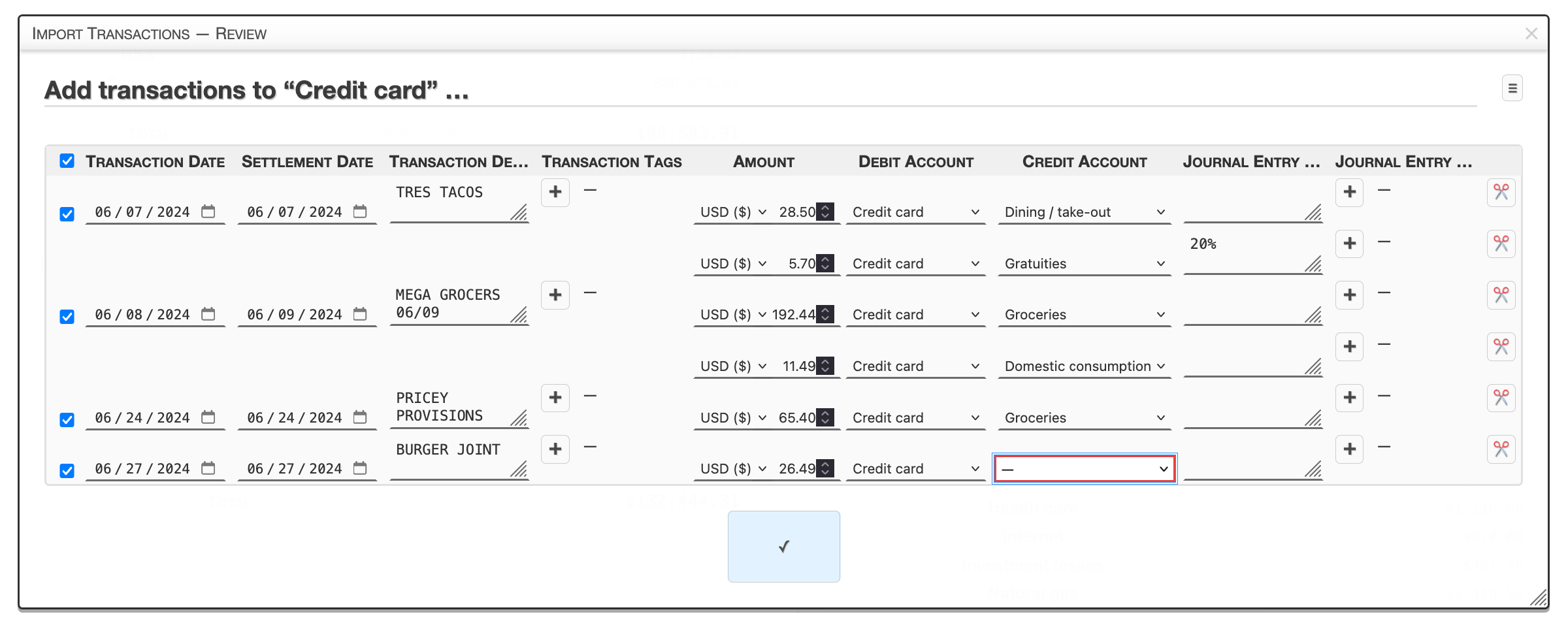
The Import Transactions — Review view allows transaction data to be reviewed and modified before being imported.
Premium features
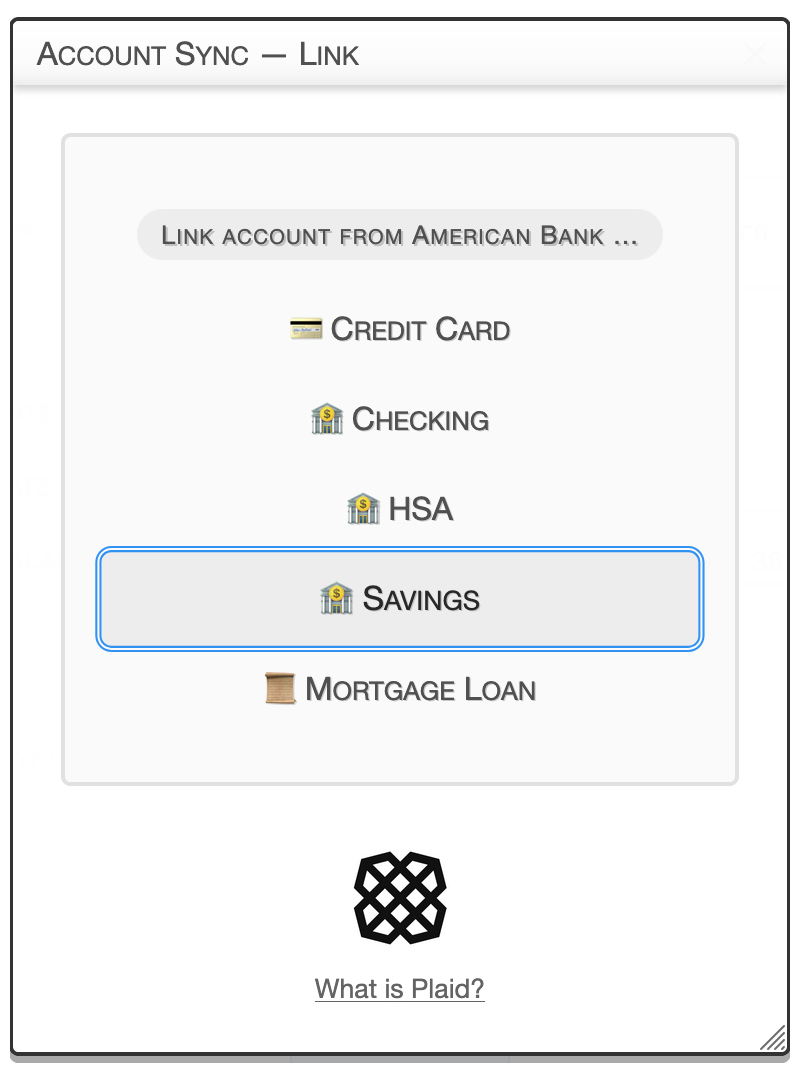
The Account Sync feature allows you to easily sync transaction data from over 10,000 financial institutions in the United States and Canada via Plaid.
Premium
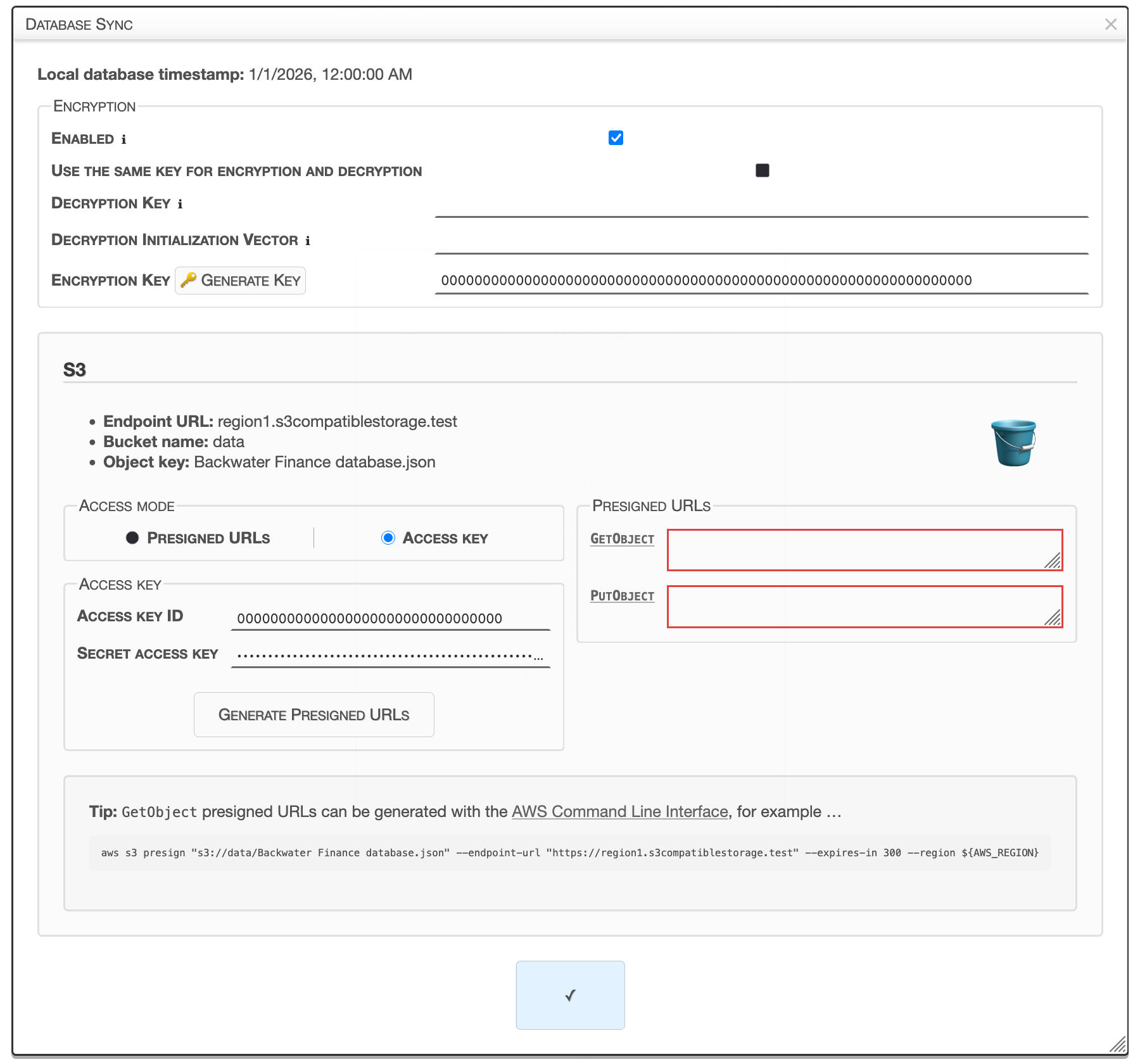
The Database Sync feature allows you to back up your data and sync your data between devices with compatible cloud storage platforms of your choice.
Premium